 Agent
Agent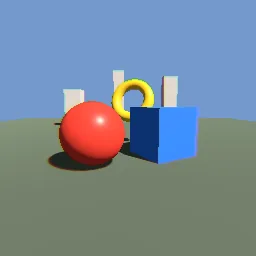
What this component contains
ATTRIBUTION.mdLICENSEREADME.mdcomponent.jsondemo.tscninspect_shader.pymaterial.trespost_chromatic_aberration.gdshaderpreview.pngtest_package.pyverification/native.json
How it works
- Shader type
- spatial
- Render modes
- unshaded, cull_disabled, depth_test_disabled, depth_draw_never, skip_vertex_transform, fog_disabled
- Parameters
- screen_texture (sampler2D), strength (float = 0.012), falloff_power (float = 2), samples (int = 6), center_x (float = 0.5), center_y (float = 0.5)
- Use it on
- A MeshInstance3D with a 2 x 2 QuadMesh, `material.tres` as its material override and a large extra cull margin, as in `demo.tscn`.
- Result
- The scene with red and blue fringes along edges that widen toward the corners.
- Renderers
- compatibility: compiled and rendered, forward plus: not verified, mobile: not verified
- Placement
- res://baltor/godot_shaders/post_chromatic_aberration/
Recorded checks
godot 4.7.2.stable.official.ed1daf0bf
contract_staticengine_runengine_log_cleanshader_in_scenecapture_writtenrender_not_uniformshader_changes_pixels
Limits to consider
Three channels only, so the fringe is red and blue rather than a full spectrum. Edges of the screen clamp the samples. The pass reads Godot's screen texture after opaque geometry, so transparent objects drawn after it are not processed and its order among other transparent passes is not controlled.