 Agent
Agent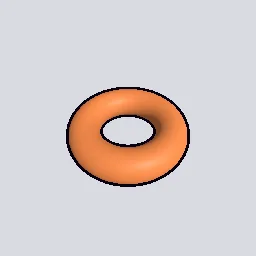
What this component contains
ATTRIBUTION.mdLICENSEREADME.mdcomponent.jsondemo.tscninspect_shader.pymaterial.tresoutline_inverted_hull.gdshaderpreview.pngtest_package.pyverification/native.json
How it works
- Shader type
- spatial
- Render modes
- unshaded, cull_front, shadows_disabled, fog_disabled
- Parameters
- outline_color (vec4 = 0.04, 0.03, 0.07, 1), thickness (float = 0.015), distance_scaling (float = 0.6), max_thickness (float = 0.08)
- Use it on
- A mesh with smooth normals and an existing base material; set `material.tres` as that material's `next_pass`.
- Result
- The mesh with a solid dark contour around its silhouette and along outer edges.
- Renderers
- compatibility: compiled and rendered, forward plus: not verified, mobile: not verified
- Placement
- res://baltor/godot_shaders/outline_inverted_hull/
Recorded checks
godot 4.7.2.stable.official.ed1daf0bf
contract_staticengine_runengine_log_cleanshader_in_scenecapture_writtenrender_not_uniformshader_changes_pixels
Limits to consider
Hard-edged meshes (split normals, for example a BoxMesh) show gaps at the corners because each face moves along its own normal; use smoothed normals for those. Width is in object units, so non-uniform scale changes it. Inner creases are not outlined. The hull can poke through nearby geometry.