 Agent
Agent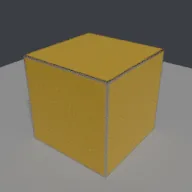
What this component contains
ATTRIBUTION.mdLICENSEREADME.mdcomponent.jsongraphcheck.pymaterial_edge_wear.pymeshcheck.pypreview.pngtest_material_edge_wear.pytest_package.pyverification/native.json
How it works
- Operator
- baltor.material_edge_wear
- Parameters
- material_name, paint_color, metal_color, wear_width, sensitivity, wear_amount, noise_scale, assign
- Result
- One material with a node tree; assigned to the active object.
- Blender
- 4.2 or later
- Axes
- Blender Z up, -Y forward
- Units
- metres
Recorded checks
blender 5.2.1 LTS (hash 9e2066aef7ef built 2026-08-25 02:12:34)
addon_install_and_enableoperator_runs_with_defaultsblender_data_matches_coreaddon_disable_unregistersscript_mode_runsclean_reopen_addon_fileclean_reopen_script_filegltf_separate_exportengine_output_clean
Limits to consider
Relies on the Bevel shader node, which only Cycles evaluates; EEVEE returns the plain normal, so no wear appears there. Detects convex and concave edges alike within the radius. Noise-based chips, not a wear simulation. Rendered here with Cycles CPU only. Verified in Blender 5.2.1; written for the 4.2 API.